via: Ryan Selvy


 "
As an architectural photographer and frequent traveler, I often come across scenes where I’d like the architecture or view to be the main focus of the image, free of people or cars in the shot. In busy tourist destinations or anywhere particularly interesting, this can be very difficult. There are some locations that are simply so popular that there is almost never a time where the scene has no people or distractions in it. Thankfully there is a relatively simple technique that will allow you to capture these scenes people-free. It only requires a tripod and your image editing software.
I’ll describe the basic shooting technique and principles of how to edit here, rather than getting into the technical details of any one specific image editing package, so that everyone can apply this to whichever software you use.
The basic method of shooting scenes with no people in the shot is based on the fact that people generally move throughout the scene over time. Because of this, you can capture a few photos of the scene as the people move about, and then easily combine them in software to remove the people. All you have to do is capture a few photos so that the view of any given part of the scene is unobstructed in at least one photo. Here is an illustration:
The photo below is from the viewing area on top of a skyscraper in New York City. I wanted to get a clean shot of the NYC skyline without any people in the foreground, but it is difficult as the area is often busy with groups enjoying the view. In this photo there is a person in the shot on the left of the frame, blocking the view:
A minute later the person was joined by his partner, but now they’re standing further to the right, so I took another shot. See below:
What if I could combine the two shots to take the clean right side of photo #1 and combine it with the clean left side of photo #2? That’s all you have to do to get a clean shot.
There are quite a few ways to do this. I’ll overview a few below and you can choose which works best for you with the editing software you use.
I use Corel Paint Shop Pro, so I just “copied and pasted” photo #1 on top of photo #2 which layered them on top of each other. Using the eraser brush, I simply erased over photo #1 where the person was standing, which revealed the clean “people-free” area in the layer below it. Here you can see how it looks after the first swipe with the eraser brush:
The final resulting photo is this:
If your editing software supports layers, you can use a mask layer. Just layer one photo on top of another and create a mask layer. Paint with a black brush over the people to reveal the clean layer below.
Another method that works, although a bit less precisely, is to use the clone brush. Clone the clean area of one photo onto the same area in the other photo where the people are located.
Photoshop Elements even includes a function called “Photomerge Scene Cleaner” to assist with the process.
During shooting, you may need to shoot more than just two photos to get clean areas, but the process is still the same. Repeat the editing process until you’ve cleaned all the areas of distractions.
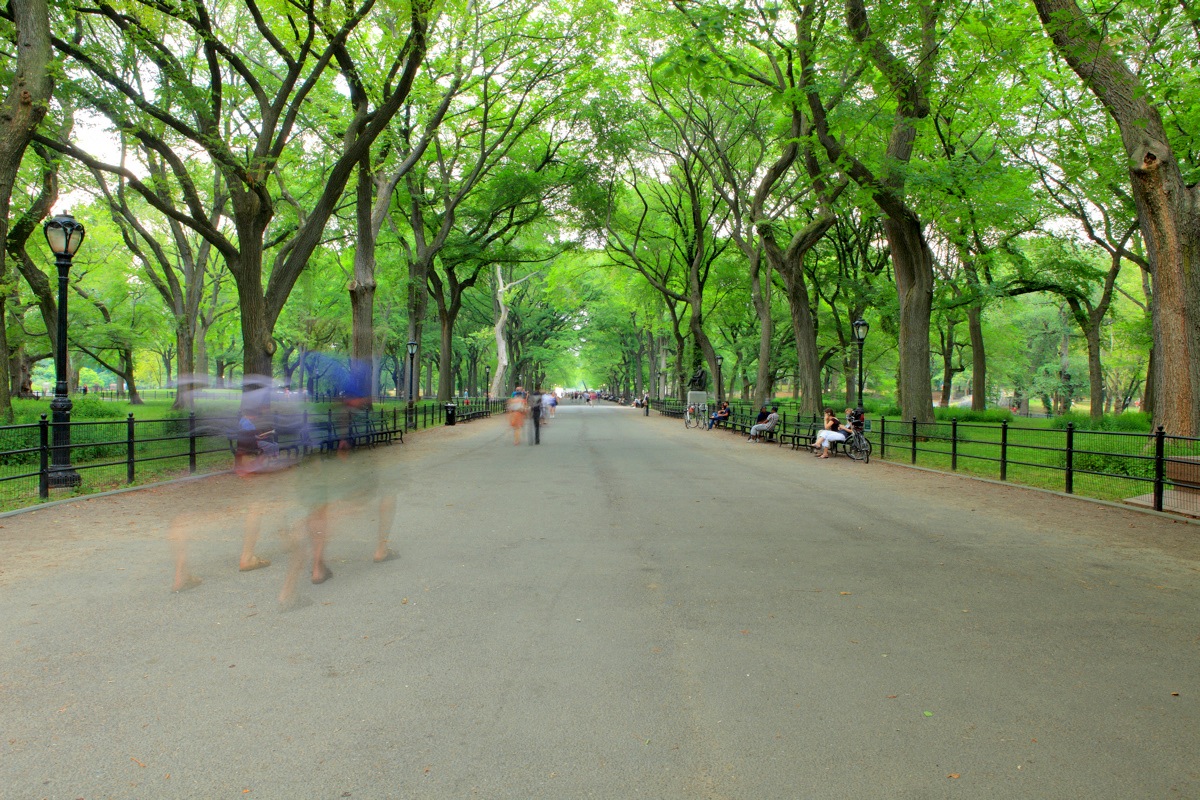
Here is another example. The photo below is of Literary Walk in Central Park, NYC. I wanted to get a clean shot of the walkway without any people in the foreground, but it is difficult as the path is often busy with groups enjoying the park. In this photo there are a couple of people walking through the shot on the left.
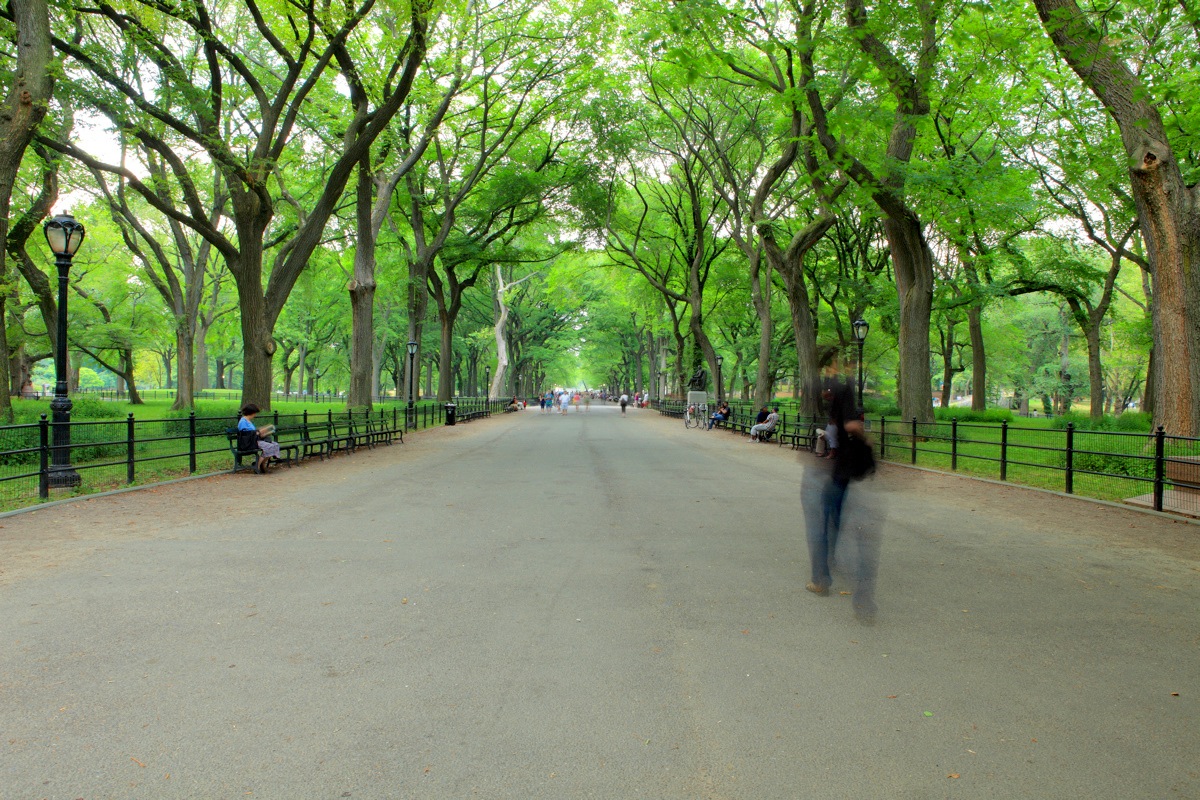
A minute later the people on the left had moved on, so I took another shot. The area was still busy and someone walked through the shot, but this time on the right side of the frame. See below:
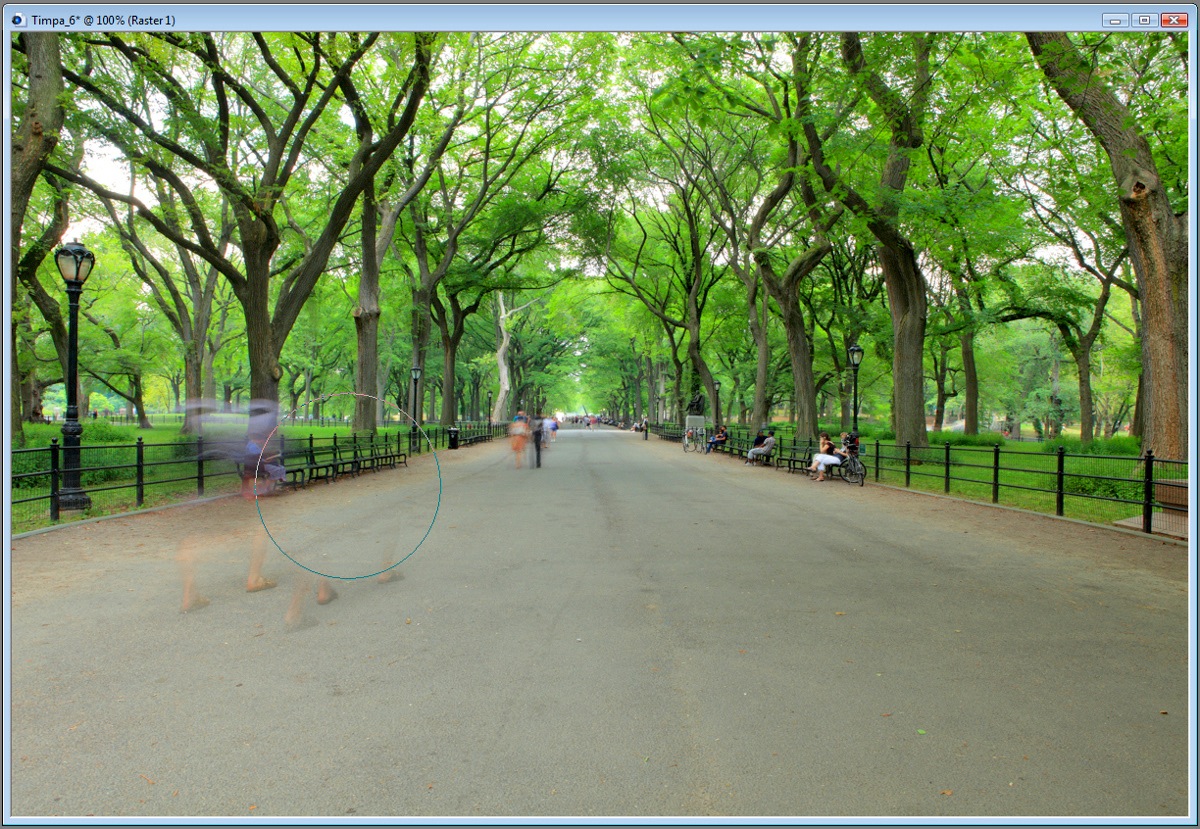
Here’s the shot after the first swipe with the eraser brush:
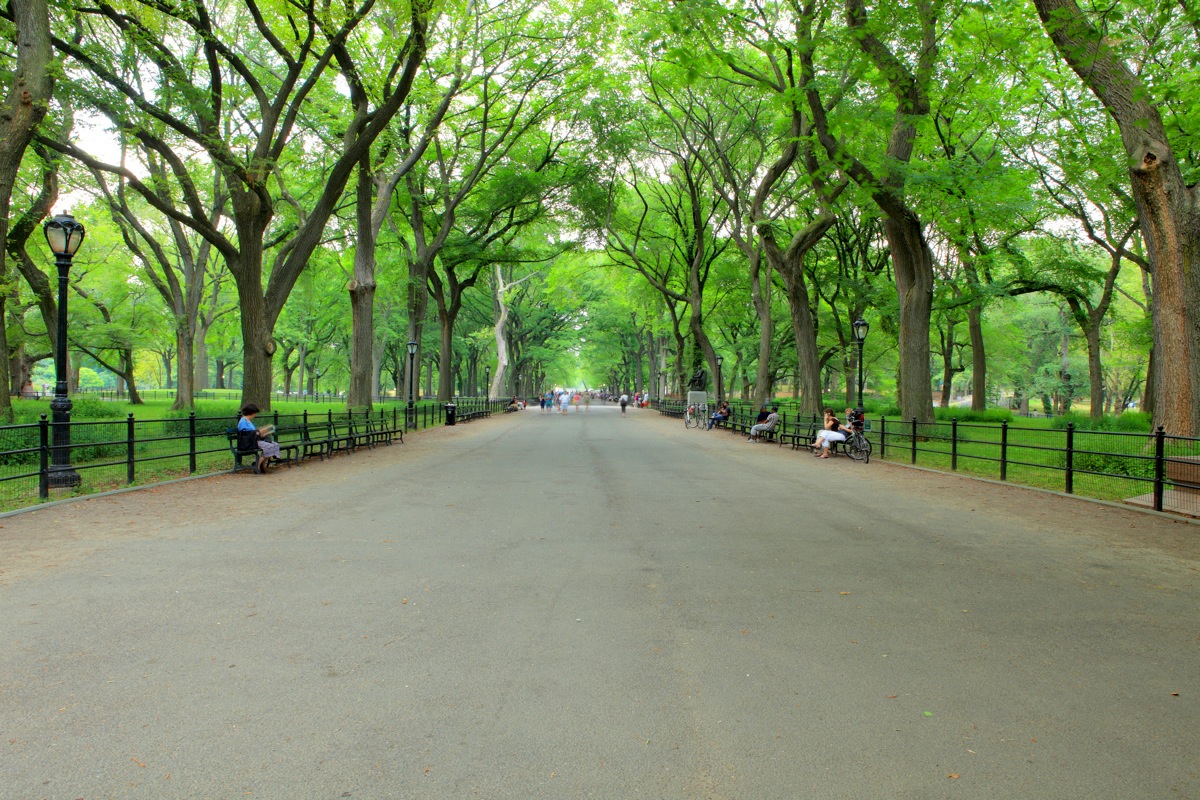
The final resulting photo is this:
Once you’ve mastered the technique, you’ll be able to quickly create distraction-free photos that really show off the beauty of the locations you’re photographing. Both the examples above took me less than a minute!
Paul Timpa is creator of the iPhone / Android app “Photography Trainer” which teaches users photography and he answers photography questions daily on his Facebook Page.
Post from: Digital Photography School


 "

However, it is not the only tool that offers instant answers. Wolfram Alpha, a search engine developed by Stephen Wolfram, can solve a much wider array of problems and unlike Google, it doesn’t require to type queries in any particular syntax. Here are some examples:
1. Your Location
A query like “where am i” will reveal your IP address and your current geographic location. Alternate queries that will get the same information about your computer include “who am i” and “what is my ip.”
2. Date and Time
You would normally need an Excel spreadsheet and may have to learn some formulas to perform basic calculations involving date and time but not with Wolfram Alpha. The tool lets you work with dates using natural English (similar to Outlook Calendar).
If you are to calculate the number of days before your next holiday, use “how many days until <holiday name>”. You can subtract dates like regular numbers or compute new dates with natural phrases like “second saturday of next month” or “now + 10 days.”
3. Food
Wolfram Alpha can instantly answer most of your food and nutrition related questions like how many calories are present in a bottle of Coke? Which is healthier – the french fries served at Burger King or the ones at McDonald’s?
4. Time Zones
You know that a query like “time in <city>” will display the current time of that city. This works for most search engines but Wolfram has an additional feature that works in reverse.
You can specify the time of any city and it will convert that time into your local timezone. This should be handy when a client suggests a meeting time using his timezone and you have to quickly figure out if that time works out for you.
Also see: A Less Confusing View of World Time Zones
5. Astronomy
If you are a fan of Astronomy, you’ll absolutely love Wolfram Alpha and it can compute the position of stars and planets for any given day.
The tool can tell you the exact dates for astronomical events like when the next solar eclipse will take place while a specific query like “solar eclipse in new york” will show you the date for the next eclipse that will be visible from New York.
6. Finance
Want to know the number of people who are working for a particular company. Wolfram Alpha can get this information and more using simple queries like “market cap of Apple” or “revenue of Google.” You may also use the tool to query past stock prices and indices.
7. Colors
What do you get when you pour some red paint in a bucket of yellow paint? What’s the HTML and RGB equivalent of Purple?
8. Comparisons
Wolfram|Alpha is an excellent tool for performing comparisons and it presents results in a neat table making it easy for you to interpret the data.
You may compare almost anything and everything from airports, universities, size of popular structures (Statue of Liberty vs Eiffel Tower), quantities (10 lb vs 12 kg), stock quotes, sales tax rates in various cities, sports teams, and even standard paper sizes.
9. Weather
Most search engines offer weather forecast for the next 7 or 10 days but with Wolfram Alpha, you can get historic weather conditions of a city as well for any given date.
And unlike Google which will only give you sunrise and sunset times for the next day, Wolfram Alpha can compute that information for any past and future date.
10. Understand Relations
This is one of my favorites. Put it any complex family relationship – like your mother’s sister’s son’s wife’s father – and Wolfram will map it into a genealogical tree making it easier for you make sense of that relation.
These are just some uses of the very-awesome Wolfram|Alpha. Do check this page for more examples and then go here to add Wolfram to your browser’s search box.
Also see: Display Wolfram Alpha results in Google


This article, titled Some Questions Can’t Be Answered by Google, was originally published at Digital Inspiration under Search, Wolfram, Internet.
"


 "