segunda-feira, 27 de setembro de 2010

37 Productivity Tips for Working From Anywhere

37 Productivity Tips for Working From Anywhere: "


The Non-Traditional Workspaces Series is supported by RingCentral, the leading business phone system designed for today’s small businesses, entrepreneurs, and mobile professionals. Visit RingCentral.com to learn more.

productivityThe days of shackling your business to a brick and mortar office are over. Even people who work primarily in traditional offices occasionally find themselves working on the road or from their kitchen tables. This flexibility is great in a lot of ways, but each new work setting also brings with it a new set of productivity challenges.

We asked people who work from home, from coworking spaces, in coffee shops, on the road and in offices to share their secrets for a productive day no matter where they’re working. The following are the highlights of their collective advice.


From Home


3_monitors

Joel Ohman, the founder of Domain Superstar, uses three monitors to maximize his productivity at home.

Home workers reduce their commuting time to zero, aren’t distracted by coworkers, and can work on whatever schedule fits their style. On the other hand, their work often competes with their children, errands, and other distracting comforts. Here are their tips for staying focused, keeping a schedule, and reducing distractions.

  • Have a work space that has a door that can be closed. It’s hard to be productive with kids screaming in the background or the TV on. It also gives a bad impression to clients. — Rohan Hall, Founder and CEO of rSitez, Inc
  • Even if you’re the only one in the house, try listening to music on headphones while you work. It will help you forget your surroundings and focus on the task at hand. — Emily Widle, E-Commerce Marketing Specialist at Pegasus Associates Lighting
  • Put together a box of toys, games, and books that your children are only allowed to use when you are on the phone. Make sure these ideas are saved for “special” times (when you’re on the phone, or can’t give your child your full attention). Also, load up on popsicles. It always keeps them quiet for a few minutes for an important phone call. — Deb Walker, Project Manager for Contemporary-VA
  • Even if you work at-home, get dressed for the office, go through your typical morning routine and tackle your day like you’re clocking in at 9. — BJ Cook, CEO of Digital Operative Inc.
  • Don’t eat lunch in your office. Use this time to regroup and take a break. Why? Because if you do it right, working out of the house is constant work – no water cooler/cubicle talk, no walking across the building to the copier, etc. So you have to re-energize by getting out of the chair and out of that room. — Roger Grant, Founder of RG2 Solutions
  • Be honest with regard to when you are productive. For example, I am far more productive at night. I get more done between 10 p.m. and 2 a.m. than I ever do before noon (when I have the luxury to choose). When I was in a situation where I had that flexibility, I would go to the gym in the morning because that requires no thought and do the hard stuff in the afternoon, evening and night. — Jeff Bogensberger Co-Founder and CEO of SOCO Games
  • To the extent possible, chain yourself to the desk. There are plenty of non-work distractions at home. Spend as much time working at home as you work in the office. — Jon Gelberg, Chief Content Officer at Blue Fountain Media
  • Three monitors is the productivity “sweet spot” for most people. I love using my three 30″ monitors and my “Geek Desk” that is fully hydraulic and accommodates working from a seated or a standing position. — Joel J. Ohman, President of Domain Superstar

From the Office


Blake

Mashable Tech Editor and office productivity master Blake Robinson at work in Mashable HQ

Most offices are designed with efficiency in mind, and some workers focus better if they have a set schedule and a dedicated workspace. On the other hand, a work day is a huge chunk of time to stay focused, and organizing it productively can be daunting. To avoid getting stuck in water cooler talk, organize the workday, and maximize productivity, read these tips.

  • Do NOT check your e-mail for the first 45 minutes that you are in the office in the morning. Don’t even open it. There are never meetings at that time and most people are settling in and reading their e-mails, so it’s a mellow time (not too much talking, few drive-bys, hallway conversations and urgent requests rarely happen). — Amanda Feifer O’Brien, Marketing Manager at Firmenich Inc.
  • Take the first 30 minutes to plan the rest of your day. By plan, I mean make a list of the important tasks that you need to have done today and stay focused on these items. If you start working without first organizing your day, it’s very easy to spend the first 4 hours just reading and responding to e-mails. Most of these e-mails are distractions from the more important tasks that you need to do. Make a list of the things that you want to achieve that day and work from that list until it’s completed. — Rohan Hall, Founder and CEO of rSitez, Inc
  • I stumbled across an application called Freedom. It is actually pretty pathetic that somebody would need to purchase something like this, but it was the best $10 I have spent! The app simply locks you away from the Internet. It removed nearly every distraction possible. — Erick Bzovi, Founder of HealPay.com
  • Block [the] like-minded tasks together. Set aside time to make outbound calls, and make one right after the other. Plan times during the day to check your e-mail, Twitter and social media to avoid a huge time trap. — Lorraine Bosse-Smith, President of Concept One
  • A few years ago I did not change the time on my alarm clock back to winter time. So I got used to getting up an hour earlier than the “rest of the world.” It is probably my most productive hour of the day as the world is still asleep, no phones ringing, etc. — Ann Castro, Investment Banker and Author.
  • I give myself three must-complete tasks each day (usually fairly large tasks) and take short breaks between each one to give my mind a break and switch gears. — Britt Reints, author of miss-britt.com
  • Show up to meetings on time. How many times have you had to get late arriving people up to speed on what was covered in the first five minutes, then again when someone comes in 10 minutes late? That’s a huge waste of time. — Chad Otis, Executive Creative Director of Smashing Ideas
  • Carve out transition time. Devote the final hours of your workday to some of your least-pressured tasks. I like listening to music on grooveshark.com and doing paperwork. You will feel a sense of accomplishment by completing at least one thing before day end. — Susan Fletcher, Ph.D., Author of Working in The Smart Zone

From a Coworking Space


New_Work_City

Workers get down to business at New Work City, a coworking space in Manhattan (courtesy of Alex Hotz)

Coworking solves the lonely independent worker problem, and coworking spaces can be great environments for collaborating and finding feedback on your work. But even though coworkers leave the distractions of their homes, there are other distractions at a coworking space — mainly, other enthusiastic people working on interesting projects that you want to know more about. Read these tips for staying focused.

  • I like to pretend all the people around me are potential clients judging my work habits. Is it a little weird and unorthodox? Sure. But competition and putting yourself “in the spotlight” will always make you work harder. — Eric Fulwiler, Partner at ZAC
  • If the work you’re doing requires some skills that are outside your immediate field, see if your coworkers might be interested in working with you on the project. Or they might know someone in their network of friends who would be perfect for it. Word of mouth referrals from someone you know is still the best way to find good help. — Jay Catalan, Co-Founder of The Network Hub
  • Rather than standing up from behind your wall of monitors and shouting “Can you all shut up?!” you may want to consider, what I call “The Cone of Silence.” It really works! All you need are a nice pair of headphones, (not earbuds), a wave file that plays “white noise,” and Windows Media Player set to “auto-repeat.” — Paul Preibisch of B3D Multitech
  • Surround yourself with the right people. Coworking spaces can be a huge asset or a huge liability, depending almost entirely upon who I’m surrounded by. You want to surround yourself with smart people who have similar work styles as you. For instance, if you’re a loose, fun worker, then being surrounded by just computer programmers hacking away at keyboards all day will cramp your style. The opposite obviously applies if you’re a “get down to work and work long and hard” type of person. — Jesse Davis, Co-founder of Entrustet.com
  • Pretend like you are in third grade again, and return to the same desk everyday. While technically ‘open’ space does not mean you have rights to that same spot, it’s amazing how inherent social etiquette brings us to respect the spots that are regularly staked out. Having a space you return to every day will make you feel like you have an office, and people with offices must be productive because they pay a higher rent, right? — Melissa Pickering, Managing Co-Founder of iCreate to Educate
  • When someone is in your cube space and they keep talking beyond what you consider acceptable, just stand up like you are about to leave to get coffee or go to the bathroom. It’s like magic with some people — they wrap up what they are saying and head out. — Kenneth Carlson, Owner of Authentic Development
  • Plan on wasting time. Instead of keeping unnecessary windows open (chats, blogs, twitter, etc.) all day long, work intently with no distractions for a given time, then give yourself (significantly shorter) blocks of time to be unapologetically unproductive. — Matthew Hall, Jr. Consultant at Mutual Mobile
  • Engage. The whole point of working in public spaces is to be out in public. So, engage the people around you. Ask their perspective on a topic of debate amongst your team. Did you overhear them mention something of interest to your business? Offer to buy them a coffee in exchange for fifteen minutes of their expertise. Or, offer them a few minutes of your expertise on their problem – sometimes, stepping outside your immediate task can be refreshing and re-motivating. Get a stranger’s feedback on your product, website, blog post, etc. You’d be surprised how often you are standing too close to the problem to see the obvious solution, and a newcomer’s point of view can prove invaluable. Your environment should be an asset to your work, even in less traditional workspaces, so take advantage of the opportunity to connect with the people around you. — Erica Benton, Marketing Communications Manager at oDesk.com
  • Bring headphones to a co-working space as an indicator of busyness. Wearing them signals to others that “I can’t be disturbed right now.” — Jonathan Wegener, Founder of Adopt a Hacker

From a Coffee Shop


coffee_shop

For many people, coffee and working go together. The coffee shop itself, however, can be a bit of a challenge. Although it provides a temporary office and free Wi-Fi, it also provides an excellent people watching venue and a wide variety of sugary desserts. Getting down to business undisturbed can be tricky, but these tips can help.

  • Get to know the guy who runs the coffee shop you frequent. Learn his name, make small talk, take an interest in his business, become friends. He usually knows everyone who comes in, and if you’re a freelancer you can get some good — and importantly, varied — business introductions. — Cody Robbins, Founder of Sakuzaku
  • If I feel like I need some extra motivation to work hard, I’ll leave my computer charger at home. This forces me to complete my work before my battery runs out. — Ben Nesvig, Project Manager at Fuzed Agent
  • I buy a drink and give myself 45 minutes to an hour to complete an assignment. I “bribe” myself by saying that I can’t get a pastry (how I love them) or a refill until that assignment is done. So it motivates me to work faster and stay focused because I have an incentive. — Jessica Aguiar, Senior Copywriter at PostcardMania
  • In coffee shops I have a few rules: Try to face a wall and never a busy street, and order a small drink to minimize bathroom breaks. — Corina Kellam, Founder of Life History Books Ltd.
  • Choose a coffee shop that does NOT have Wi-Fi. You can check your email and news later. — Alexander Seinfeld, Executive Director of Jewish Spiritual Literacy

  • From The Road


    road_worker

    Taking a break from the office might not mean taking a break from your work responsibilities. But shuffling between trains, planes and automobiles without your usual workspace isn’t conducive to efficiency. Learn how to make traveling work better for you by reading these tips.

    • I usually check in to airports [on location networks] just to let my family know that I am traveling and getting around safely. However, the tips are what make the app priceless. For instance, I can check in to terminal B at Logan International, and I can find a tip that says, “Logan International has free Wi-Fi and if you go to the Legal Seafood bar, they have outlets for every stool at the bar.” Now that is helpful. — Andrew Lazorchak, Director at WineSoiree.com
    • Keep everything electronically.If you’re working from a coffee shop or in a park, the last thing you want to be doing is shuffling papers. Become proficient in taking notes in PDF documents and get used to reading documents on your computer. It’s a challenge at first, but worth it in the end. If you must, carry one small notebook for notes and memos. — Michael Carney, Founder and President of MWC Accounting
    • Assign yourself a “course” each month during your commute. One month, listen to one of Shakespeare’s tragedies, and then listen to a commentary. The next month, listen to part of Wagner’s Ring Cycle, then listen to it again so you start to hear themes. Does this have anything to do with your work? No. But it definitely gets your mind in the game more than listening to drive-time shock jocks. — Laura Vanderkam, author of 168 Hours: You Have More Time Than You Think
    • Get menial tasks done like organizing your My Documents folder or going through your e-mail client and deleting useless/outdated e-mails (all the stuff you always want to have time to do but just don’t ever get to do during the week). — Ashley Schwartau
      Managed Mischief, Inc.
    • Use the settings on your iPhone or Droid to troll for free Wi-Fi when the traditional bread company isn’t around. If you can connect to it on your phone, you’ll be good to go when you crack open your laptop and get down to work. — Tyler Sickmeyer, Director of Client Development at 5Stone Marketing
    • Get a portable phone number (such as Google Voice) that can ring one or more phones. I am an attorney and work from my home, different office locations and on the road. Being accessible to my clients wherever I am is crucial. — Lara A. Aman, Attorney at Law
    • I scanned and saved my actual signature as a graphic and insert it into Word documents as a picture. If it’s a PDF, I have the same signature saved as a Custom Stamp. I don’t have to print anything. — Peggy Duncan, Personal Productivity Expert at The Digital Breakthroughs Institute
    • Make sure you can cache your e-mail. This way, you can work on planes or in areas where you do not have an Internet connection.– Blake Bookstaff, Vice President of moneymanager.com

    Series supported by RingCentral

    The Non-Traditional Workspaces Series is supported by RingCentral. Power your business with a phone system designed to meet the needs of today’s small businesses, entrepreneurs, and mobile professionals. With RingCentral, you can take control of your phone system anywhere — using your existing phones, smartphones, or PCs. Sign up today for a special 60-day free trial.


    More Productivity Resources from Mashable:


    - How Businesses Are Unleashing Their Employees’ Social Media Potential
    - 10 Useful iPhone Keyboard Shortcuts, Tips and Tricks
    - 10 Tools for Distributed Developer Teams
    - 40+ Essential Social Business Resources
    - 10 Must-Have BlackBerry Apps for Small Business

    Image courtesy of iStockphoto, hidesy, Photoroller, susib


    Reviews: Google Voice, Internet, RingCentral, Twitter, iStockphoto

    More About: Coffee shop, coworking, efficiency, Home office, List, Lists, New Work City, Non-Traditional Workspaces Series, productivity, Productivity Lists, trending, work tips, working from home, Working on the road

    For more Business coverage:


"

Mint.com Introduces Ways to Invest

Mint.com Introduces Ways to Invest: "


At Mint.com, we believe in three basic principles of personal finance. Spend less than you earn. Maximize your savings. And, finally, make sure that hard-earned, hard-saved money pays you back.


One way you can achieve that third goal is to invest successfully. But with all of the different investment products and types of accounts out there, figuring out where to start isn’t easy. And while there are certain investment products you may not be able to afford, you no longer have to be Mr or Mrs Moneybags to get started.


We’re introducing a new feature, Ways to Invest, that is specifically designed to help you establish an investment portfolio. We won’t tell you how or where to invest. But just as with we do our Ways to Save feature, we can direct you to resources that will help save you money, but this time when it comes to your investment activities.


So we’ve taken a tip from group buying sites. With 4 million registered users, we are in a great position to negotiate on your behalf. Our partners have created Mint-specific deals to encourage investing, from fee-free portfolio management to 60% off an annual subscription to professional investing and portfolio management advice.


Like all of Mint’s features, Ways to Invest is very easy to use. The first step is to determine your risk profile. Are you conservative, or are you ready to take on a high risk for high reward? Are you the hands-on type or do you prefer to put your investing on auto-pilot? If you decide to go with a mutual fund, is it important to you that it be socially responsible?


If it’s still too daunting to put cash toward an investment, we don’t blame you. You can invest in your own dreams with Goals, or learn more about what various investment terms mean and how they can impact your money here at MintLife.


There are many ways to invest. The important thing is to think about how you can grow and do more with your money. Once you find the investing strategy that works best for you, you’ll be well on your way.


"

Steven Johnson: Where Good Ideas Come From

Steven Johnson: Where Good Ideas Come From: "

I love that he lifted RSI’s animated approach:


Beginning with Charles Darwin’s first encounter with the teeming ecosystem of the coral reef and drawing connections to the intellectual hyperproductivity of modern megacities and to the instant success of YouTube, Johnson shows us that the question we need to ask is, What kind of environment fosters the development of good ideas? His answers are never less than revelatory, convincing, and inspiring as Johnson identifies the seven key principles to the genesis of such ideas, and traces them across time and disciplines.


"

China reforça presença econômica na América Latina

China reforça presença econômica na América Latina: "

AFP

País que mais atrai empresas chinesas é o Brasil, por conta da necessidades de financiamento de infraestrutura

A China multiplicou ultimamente seus investimentos na América Latina no setor de mineração e hidrocarburetos, mas também em infraestruturas ferroviárias e siderurgia, reforçando e diversificando dessa maneira sua presença em uma região que registra um forte crescimento econômico, em especial o Brasil.


Nos últimos anos, os dirigentes chineses multiplicaram as visitas econômicas à América Latina, assinando acordos de investimento e exploração com países produtores de petróleo como Venezuela, México, Brasil, Argentina, Equador e Colômbia.


Em julho passado, a China entregou à Venezuela, país amigo, a primeira parte de um empréstimo de 20 bilhões de dólares para financiar 19 projetos de desenvolvimento.


Em abril, o gigante chinês CNPC anunciou que ia pagar um ticket de entrada de 900 milhões de dólares à Venezuela para ter acesso a uma reserva de petróleo na bacia do Orinoco.


Também em abril, um dirigente chinês anunciou que o Peru havia se convertido no principal receptor de capitais chineses na América Latina com 1,4 bilhão de dólares investidos, dos quais 1,1 bilhão em mineração.


No entanto, o país que mais atrai as empresas chinesas é o Brasil, devido especialmente a suas imensas necessidades de financiamento de infraestrutura.


'Mais de 50% das oportunidades de investimentos chineses na América Latina estão concentradas no Brasil', declarou à AFP Gerardo Mato, chefe da divisão latinoamericana do banco HSBC, no foro de investimentos China-América Latina, que foi realizado em Pequim há alguns dias.


Para a preparação do Mundial de 2014 e dos Jogos Olímpicos de 2016, ambos no Brasil, 'se fala de cifras que vão de 60 a 120 bilhões de dólares' e os chineses poderão levar sua parte, indicou o banqueiro.


A China não se contenta em comprar ferro brasileiro e sim começa a fabricar aço no Brasil, como ilustra o acordo assinado entre as empresas brasileira LLX e chinesa Wuhan Iron and Steel, que investirão 5 bilhões de dólares na construção de uma usina siderúrgica.


O interesse chinês abrange outros setores, como o das ferrovias, em particular trens de alta velocidade, no qual o líder francês TGV se vê desafiado por empresas chinesas nos projetos brasileiro Rio de Janeiro-São Paulo e argentino Buenos Aires-Córdoba.


Há algumas semanas, a China e a Argentina assinaram acordos no setor ferroviário por um total de 10 bilhões de dólares.


Por seu lado, as empresas latinoamericanas visam mais a buscar 'possibilidades de financiamento' para seu desenvolvimento em seus próprios países do que investir na China, indicou Mato.


Na semana passada, a brasileira Vale do Rio Doce, primeiro produtor mundial de ferro, anunciou que ia receber um empréstimo de 1,2 bilhão para financiar a construção de 12 embarcações de grande porte destinadas ao transporte do minério para China, sua principal cliente.


No final de 2009, a Petrobras obteve na china uma linha de crédito de 10 bilhões de dólares em dez anos, para financiar seu programa de investimento 2008-2013.


Os Estados Unidos, que exercem uma influencia predominante na América Latina, declararam que eram favoráveis aos investimentos chineses.


'Não se trata de uma ameaça', afirmou, em agosto passado, o secretário de Estado adjunto americano para a América Latina, Arturo Valenzuela, durante una visita de cinco dias à China.

"

What's holding back employment growth?

What's holding back employment growth?: "

I certainly agree that the most important factor holding back employment growth at the moment is low demand for firms' products and services. But I disagree with those who suggest that this is the only factor.


Paul Krugman declared last week:


Businesses aren't hiring because of poor sales, period, end of story.


The statement that businesses aren't hiring is simply false. According to the Bureau of Labor Statistics' Job Openings and Labor Turnover Survey, the U.S. private sector hired 3.9 million new workers every month, on average, over the first 7 months of 2010.


But if that's true, then why isn't total employment booming? The answer is that, according to the same JOLTS data, some 3.8 million workers quit or lost their jobs each month on average during Jan-July. The difference between gross new hires and gross separations was only enough to add about 100,000 net new private-sector jobs each month. There are some discrepancies between the extent of net job creation implied by the JOLTS data and the number inferred from other sources such as the BLS establishment survey. But the fact that small changes in net employment figures mask a dynamic economy in which there are huge gross changes in employment status for individuals and firms is quite indisputable.


For the establishments that are hiring millions of new workers every month, what factors went into their decision, and what would have to change to persuade them to hire more? I believe the correct answer is that the firms compared the benefits of hiring new workers against the costs, and decided it made sense to bring some 3.9 million new people on board each month, but no more.


And why no more than that? Paul's answer is based on
Catherine Rampell's observation that there has been a significant increase since 2007 in the fraction of small businesses reporting poor sales as their biggest single problem.


Source:
Economix.
sales_probs1_sept_10.jpg


But Russ Roberts isn't convinced.


It's also worth pointing out that 'biggest problem' doesn't mean that the second or third problems aren't important or aren’t really close to as important as the biggest. In fact,
if you look at just the latest data from the NFIB rather than the distracting previous three decades, you see this:


Source:
Cafe Hayek.
sales_probs2_sept_10.jpg


Yes, 31% of respondents do say that sales are their 'biggest problem.' That number hasn't budged much over the last year. But two numbers have changed a bit more than that-- 21% of respondents list taxes as their biggest problem up from 18% a year ago. And 15% list government regulations and red tape as their biggest problem, up from 11%. In fact, if there had been one category called 'Taxes and Government Regulations' it might have been seen as the biggest problem, listed by 36% of respondents, up from 29% in the year before and surpassing sales as the biggest problem.


I agree with Paul that a low level of demand is the most important factor holding back employment growth. But I think it may be a mistake to conclude from that fact that aggregate demand management is the only tool available to address the problem.

"

Cinco bancos concentram 75% dos depósitos no Brasil

Cinco bancos concentram 75% dos depósitos no Brasil: "

Por Fernando Nakagawa

Brasília - Cerca de dois terços de todos os ativos e empréstimos são de responsabilidade, atualmente, de apenas cinco instituições no País: Banco do Brasil, Itaú, Bradesco, Santander e Caixa Econômica Federal. Há dez anos, essas instituições tinham menos da metade do mercado. A concentração no sistema bancário brasileiro aumentou na saída da crise financeira, no ano passado, quando grandes bancos voltaram às compras e foram fechadas grandes fusões e aquisições.

O processo tem motivação econômica: maiores, os bancos têm o chamado ganho de escala, que é a redução proporcional do custo de sua operação. Eles conseguem ainda economizar em operações mais simples, como a de compra de material de escritório, e na montagem dos complexos sistemas de tecnologia da informação.

“Esse processo não é exclusividade dos bancos brasileiros nem do sistema financeiro. Para serem mais competitivos, muitos setores passaram por grande concentração, como telefonia, transporte aéreo, indústria farmacêutica”, enumera o presidente da Austin Rating, Erivelton Rodrigues. “É um ciclo que se autoalimenta. Maiores, os bancos têm mais fôlego para comprar outros ou crescer organicamente.”

A concentração bancária costuma ser observada pelos ativos - que são os créditos, direitos, bens e valores a receber que o banco detém. Por essa característica, a participação dos cinco grandes bancos passou de 45,6% em 2000 para 64,9% em junho de 2010. Em ritmo semelhante, as operações de crédito desse grupo saltaram de 49,2% para 65,5% de todo o sistema financeiro no mesmo período.

Anos 90

O professor de finanças da Escola de Administração da Fundação Getúlio Vargas (FGV-SP), José Pereira da Silva, afirma que essa concentração é resultado de um movimento amplo, iniciado há quase duas décadas. Em meados dos anos 90, após a criação do Plano Real, o governo decidiu reestruturar e fortalecer o sistema financeiro com a ajuda dos recursos públicos para impedir que a economia se contaminasse com eventual debilidade dos bancos. Em meio ao movimento, muitos bancos estaduais foram comprados.

No fim dos anos 90 e início dos anos 2000, a segunda fase da consolidação incluiu os bancos privados, que passaram a comprar casas menores para ganhar força e escala. Mais recentemente, houve outra onda que passou a contar também com aquisições de bancos públicos. “A concentração tem um aspecto positivo, que é de dar mais segurança para os clientes, já que bancos fortes têm menor risco na operação”, diz Silva.

Talvez seja por isso que é exatamente nesse tema que a concentração é mais evidente: atualmente, 75% de todos os depósitos do sistema financeiro estão nos cinco maiores bancos. Há dez anos, essa fatia era de 52,5%. Durante a crise, grandes bancos, em especial os públicos, receberam volumes expressivos de depósitos.

Mas a concentração tem um aspecto negativo para os clientes, que é a diminuição da concorrência. Com menos casas no mercado, a iniciativa de reduzir juros e taxas ou melhorar serviços pode ser menos urgente que em um cenário com muitas instituições. “É mais difícil concorrer quando você tem cinco ou seis bancos grandes. Mas isso não quer dizer não haja nenhuma concorrência”, diz Silva. Nos últimos dois anos, instituições públicas incentivaram a maior concorrência com a oferta de crédito com taxas menores.

"

ExpoMoney SP mantém foco em ações e atrai 20 mil investidores

ExpoMoney SP mantém foco em ações e atrai 20 mil investidores: "Maior feira gratuita de finanças pessoais e investimentos do País, a ExpoMoney se encerrou no último sábado repetindo em São Paulo a fórmula que já vem dando certo há oito anos: pôr à disposição dos investidores muitas informações sobre o mercado acionário. Em sua 50.ª edição, a feira trouxe mais"

ExpoMoney SP mantém foco em ações e atrai 20 mil investidores

ExpoMoney SP mantém foco em ações e atrai 20 mil investidores: "Maior feira gratuita de finanças pessoais e investimentos do País, a ExpoMoney se encerrou no último sábado repetindo em São Paulo a fórmula que já vem dando certo há oito anos: pôr à disposição dos investidores muitas informações sobre o mercado acionário. Em sua 50.ª edição, a feira trouxe mais"

Adjectives

Adjectives: "'Fucking ineffable' sounds like someone remembering how to do self-censorship halfway through a phrase."

domingo, 26 de setembro de 2010

Windows Phone 7 Developer Tools Released

Windows Phone 7 Developer Tools Released: "

I’m pleased to announce that today we shipped the final release of the Windows Phone 7 Developer Tools. You can download them here.

What is Included?

The Windows Phone 7 Developer Tools package includes everything you need to write awesome applications and games for Windows Phone 7. All of the tools included in it are absolutely free.

The following is installed with the download:

  • Visual Studio 2010 Express for Windows Phone – Free edition of VS 2010 for Phone development.
  • Express Blend 4 for Windows Phone – Free version of Blend for Windows Phone 7 Development.
  • Silverlight for Windows Phone 7 – Rich framework for building great applications for Windows Phone 7.
  • XNA Game Studio for Windows Phone 7 – Rich framework that enables you to build great 2D and 3D games for Windows Phone 7.
  • Windows Phone Emulator – A hardware accelerated emulator that allows you to run and debug your applications and games without requiring a phone.
  • Phone Registration Tool – When you get a device, this allows you to “unlock” the device so you can run/debug your application on it, using your Marketplace account.

All of the above tools and frameworks are packaged into one setup, and everything is free. If you already have Visual Studio 2010, the setup will also add support for Windows Phone 7 development and projects to your full Visual Studio 2010.

Applications and games you build with the tools released today can be uploaded to the Windows Phone Marketplace - which enables any phone consumer to easily download and purchase them directly from their phone. This provides a great way to distribute applications/games that you either get paid for or distribute for free.

Using the Windows Phone 7 Tools

VS 2010 Express for Windows Phone provides a rich development environment for building great phone applications.

Using File->New Project, you can choose from several Silverlight for Windows Phone starter templates when creating new projects. Today’s release adds support for new Panormana and Pivot controls and associated project templates that you can use to create applications that take advantage of these new Windows Phone 7 metaphors:

image

Selecting the “Panorama Application” template above will cause VS to create a fully working Silverlight for Windows Phone application that uses the Panorama UI metaphor (and the new Silverlight Panorama control):

image

Visual Studio provides a WYSIWYG design-surface (with split-view support for XAML source) for building phone applications using Silverlight. It also provides full code intellisense, debugger and developer tool support.

You can choose to deploy and debug an application on a physical phone device - or alternatively within a built-in phone emulator. Below is a screen-shot of the above application running inside the built-in emulator and being debugged by Visual Studio:

image

The phone emulator is hardware accelerated, and optionally supports multi-touch monitors (enabling you to easily simulate finger gestures).

Expression Blend for Phone

You can edit projects using both Visual Studio 2010 Express for Phone as well as with Expression Blend for Phone (which is also included for free in the download package). The project file format is the same for both tools - enabling you to create an application in one of the tools and then open it up and edit it in another.

Expression Blend for Phone provides a really powerful environment for creating interactive experiences:

image

It includes full designer support – including support for animations, storyboards, custom paths, and many other features. It also uses the same phone emulator as VS – enabling you to build and run applications without needing a physical device.

Great Applications Already Happening

We have had hundreds of thousands of downloads of the development tool previews – and are already seeing some awesome applications being built for the Windows Phone 7 launch.

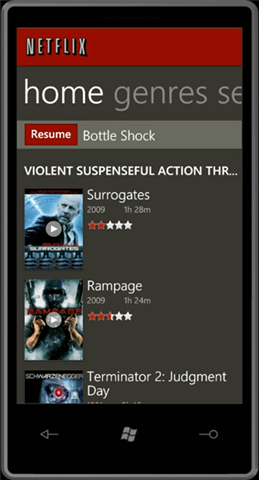
image

Below are some videos taken of a few applications running on actual Windows Phone 7 hardware devices connected to the web over 3G:

On YouTube, you can search the tag wp7dev to find other demos that have been posted by developers who have been using the previous previews – the demos posted include games, utility applications, data snacking applications, and more.

How to Start Building Windows Phone 7 Apps Now

If you’re a developer who has experience with .NET, Silverlight or XNA, you already have the core skills necessary to start writing a Windows Phone 7 application or game.

We’ve been working hard to get resources and information out to developers so they can be successful writing applications from day one. Since the Windows Phone 7 application platform is Silverlight-based, most articles or information about writing a great Silverlight application is also relevant to the phone. The same is true for XNA articles and information for building games.

Below are some Windows Phone 7 specific links to help get you started:

You can learn more about today’s release from the Windows Phone 7 Blog as well as from this Channel9 video that includes an interview from me.

Silverlight for Windows Phone 7 Toolkit

I’m also pleased to announce that we’re extending the popular Silverlight Toolkit concept to include Windows Phone 7 components as well, with a dedicated release that will be available to download here.

The Windows Phone 7 Toolkit includes the following additional Silverlight controls and components that are customized for the Windows Phone 7 experience:

  • ContextMenu
  • DatePicker
  • TimePicker
  • WrapPanel
  • ToggleSwitch
  • GestureService – adds events for Tap, DoubleTap, Hold, Drag (DragStarted, DragDelta, DragCompleted), Flick and Pinch

This library is delivered both as a binary, as well as with fully buildable and modifiable code licensed under the MS-PL license, and you are free to modify and/or include it in your applications.

You can learn more about using some of the cool controls in the Toolkit from:

Installation Notes

If you have installed previous preview releases of the tools, you will need to completely uninstall those before installing today’s final release. This is also true for the Zune Client if you’ve installed that as well (which is used to sync applications with real devices).

The download of the final Windows Phone 7 Developer Tools release is here.

Summary

We are really excited about the Windows Phone 7 release, and what it means for both consumers and developers.

Today’s tools release provides everything you need to get started building great Windows Phone 7 applications. We are looking forward to seeing what you create!

Hope this helps,

Scott

P.S. In addition to blogging, I am also now using Twitter for quick updates and to share links. Follow me at: twitter.com/scottgu

"

Minha lista de blogs