quarta-feira, 1 de setembro de 2010

Fatos curiosos sobre o Google Brasil

Fatos curiosos sobre o Google Brasil: "

google brasil Fatos curiosos sobre o Google Brasil


A Revista Época fez recentemente uma reportagem muito interessante sobre a "cultura de trabalho flexível, divertida e árdua" da gigante da internet, com destaque ao escritório do Google Brasil.


Veja alguns fatos que a revista destacou:


Saúde

A companhia oferece reembolsos de R$ 374 por consulta com médico fora do plano de saúde, R$ 145 para participar de grupos de caminhada, R$ 140 para aulas de pilates no escritório e R$ 100 para academia. É possível também fazer sessões de drenagem linfática por R$ 25 e de massagem por R$ 5 a R$ 10. Quem completa 30, 35, 38 e 40 anos ganha checkup grátis.


Tecnologia

Cada funcionário ganha R$ 112 como ajuda de custo para pagar a mensalidade da internet em casa. Ao ser admitido, o novato ganha um notebook da marca que escolher. No trabalho, incentivam-se todas as formas de comunicação, por texto, voz e vídeo. No Natal de 2009, toda a equipe ganhou smartphones equipados com o sistema operacional Android, do Google.


Indicações

O processo de seleção demora dois meses e é rígido. A empresa incentiva cada funcionário a indicar conhecidos. Se ele for contratado, quem fez a recomendação ganha R$ 5 mil. Mais da metade das contratações é feita com base em sugestões da equipe.


Brinquedos

O novato recebe em casa um kit de boas-vindas, com camiseta, boné e autorização para gastar R$ 100 na decoração da baia. Ele tem ainda R$ 250 para gastar na loja virtual da empresa, na compra de blusões, mochilas, cubos mágicos e camisetas.


Festas

O Google é uma empresa festeira. Um Comitê de Cultura e um comitê de diversão se encarregam de propor atividades diversas. Há noites de cinema, festas tradicionais e temáticas (como a Festa do Pijama). Em Belo Horizonte, as sextas-feiras são dias de happy hour dentro da empresa, como é tradição no Google ao redor do mundo. Em São Paulo, a festa ocorre às quintas.


Bônus

O Google tem bons salários fixos, opções de ações e forte cultura de remuneração variável. Além do bônus normal, baseado em metas, ganham-se prêmios por indicação de colegas do mesmo nível (o Peer Bônus, de R$ 200) e por recomendação proposta pelo chefe imediado (o Spot Bônus, de R$ 550 a R$ 28 mil). Há também premiações para os coordenadores e condecorações simbólicas.


Clique aqui para ler a matéria completa. Agradecimentos ao leitor Fábio Silva pela dica!


Foto: Ricardo Corrêa / Revista Época


---
Artigos relacionados no Google Discovery

  • Google exibe fatos sobre acordo de publicidade com o Yahoo!
  • 7 fatos divertidos (ou não) sobre o Yahoo!
  • Surgem novos rumores sobre o Google Me
  • Experimento do Google coleciona estatísticas da internet
  • Google Brasil quer trazer ao país ferramenta para inibir crimes

  • "

    Real ganha espaço e vira alvo do mercado financeiro

    Real ganha espaço e vira alvo do mercado financeiro: "

    AE

    O real passou a ser alvo das apostas do mercado financeiro internacional

    O real passou a ser alvo das apostas do mercado financeiro internacional. Segundo levantamento do Banco de Compensações Internacionais (BIS) - o 'banco central dos bancos centrais' - o Brasil tem a maior expansão porcentual de contratos de derivativos nos últimos anos e o mercado de câmbio no País quase triplicou desde 2007, com o segundo maior crescimento entre todas as economias emergentes.

    O real, segundo o levantamento com dados oficiais e coletados em mais de 1,3 mil agentes financeiros, é uma das duas moedas de emergentes que mais ganharam espaço no mercado mundial de divisas nos últimos três anos. A moeda já é a 20ª mais trocada por esse mercado. Segundo o BIS, o mercado mundial de divisas cresceu 20% entre 2007 e 2010, com contratos fechados em cerca de US$ 4 trilhões por dia. Há três anos, o volume chegava a US$ 3,3 trilhões. Apesar da expansão, ela não ocorreu no mesmo nível do período de 2004 a 2007, quando foi de 72%.

    Entre as moedas de países emergentes, o real foi um dos destaques, com o segundo maior crescimento em participação no mercado internacional, atrás apenas da lira turca. A moeda brasileira, que em 2007 representava 0,4% do mercado de divisas, passou a representar 0,7% em 2010. Há 12 anos, a taxa era de apenas 0,2%.

    A participação de 0,7% é pequena, principalmente em relação ao dólar, com 85%. Mas o BIS admite que a expansão chama a atenção pela velocidade. O levantamento mostra ainda que o Brasil foi o país onde o mercado de derivativos mais se expandiu nos últimos três anos. Entre 2004 e 2007, o volume negociado diariamente no Brasil caiu de US$ 900 milhões para US$ 100 milhões. Mas neste ano atingiu US$ 7,5 bilhões. As informações são do jornal O Estado de São Paulo.

    "

    Copom interrompe ciclo de alta e mantém juros em 10,75%

    Copom interrompe ciclo de alta e mantém juros em 10,75%: "

    iG São Paulo

    Após três altas consecutivas, Comitê de Política Monetária do Banco Central decidiu segurar a taxa Selic

    Foto: Fellipe Bryan/iG

    O Comitê de Política Monetária (Copom) do Banco Central anunciou nesta quarta-feira a manutenção da taxa básica de juros (Selic) em 10,75% ao ano. Com a decisão - em unanimidade e sem viés-, a autoridade monetária interrompe um ciclo de três altas consecutivas dos juros.


    Em comunicado divulgado após o encontro, que teve a duração de dois dias, o BC disse que 'a manutenção da taxa de juros básica no nível estabelecido em sua reunião de julho proporciona condições adequadas para assegurar a convergência da inflação para a trajetória de metas.'


    'Ao mesmo tempo em que não espera que o nível de inflação registrado nos últimos meses se mantenha em um futuro próximo, o Copom observa a continuação do processo de redução de riscos para o cenário inflacionário que se configura desde sua penúltima reunião', completou a autoridade monetária, no comunicado.


    A decisão veio em linha com o esperado por grande parte dos analistas. Segundo o Departamento de Economia do Bradesco, o BC deve manter os juros em 10,75% também nos próximos dois encontros que ainda acontecerão em 2010.


    “Naturalmente, há riscos a esse cenário de recuperação não inflacionária do crescimento, sobretudo advindos de um mercado de trabalho que continua robusto”, disse o banco, em relatório. “Assim, o discurso da autoridade monetária tende a continuar sendo o de cautela, reforçando o compromisso institucional com a meta de inflação, principalmente na eventualidade de alterações no cenário prospectivo.”


    Para José Góes, consultor econômico da WinTrade, pesou na decisão do Copom os indicadores de inflação, que apontam para um maior controle dos preços nos últimos meses. “A trégua da inflação observada nos últimos dados, a queda da projeção para o IPCA de 2010 e a piora do quadro externo devem ser determinantes para a decisão do Banco Central”, disse.


    O economista da Gradual Investimentos André Perfeito diz que a manutenção dos juros é perigosa. “É preciso ver o desdobramento nos próximos meses. Se os índices de inflação estão para baixo é por conta do grupo alimentação, que tende a subir de forma rápida.”


    Perfeito diz que a decisão de hoje joga nas mãos do próximo governo a responsabilidade de retomar o ciclo de alta dos juros, já que há uma tendência de aquecimento da atividade econômica. “Como não aumentou agora, o próximo governo vai ter de aumentar os juros no primeiro trimestre.”


    O movimento dos juros


    Confira a variação da taxa básica de juros (Selic) nos últimos encontros do Copom


    Gerando gráfico...

    Fonte: Banco Central


    "

    Veja a sala do Banco Central onde se definem os rumos da inflação

    Veja a sala do Banco Central onde se definem os rumos da inflação: "

    iG São Paulo

    Do oitavo andar do prédio do BC, em Brasília, membros do Copom iniciam reunião sobre a taxa de juros

    Foto: Fellipe Bryan/iG

    As reuniões do Comitê de Política Monetária (Copom) do Banco Central, que decidem os rumos da inflação e o crescimento da economia brasileira, são secretas. Ninguém, além dos membros do Copom, pode acompanhar os encontros realizados por dois dias em duas salas diferentes na sede do BC, em Brasília.


    Mas a primeira parte da reunião, ocorrida na terça-feira, recebeu um novo “integrante”: um painel de


    cinco metros de altura e quadro de largura, pesando quase 400 quilos, de autoria de Cândido Portinari. O painel conhecido como “Descobrimento do Brasil”, concluído por Portinari em 1955 para o Banco Português do Brasil, é considerado a obra mais valiosa do acervo do BC.


    O adereço, que ficou um ano exposto na Galeria de arte da instituição em Brasília, ficará exposto na parede da sala do oitavo andar da sala de reuniões do Copom onde os dirigentes do BC começam a decidir a taxa básica de juros – a Selic, que baliza as taxas de juros praticadas pelo mercado. A sala da segunda parte da reunião, que ocorre às quarta-feiras no 20 andar do BC, ainda é um segredo escondido a sete chaves – nunca foi fotografado.


    Objetivos do Copom


    Implementar a política monetária, definir a meta da taxa Selic e seu eventual viés, e analisar o “relatório de inflação”. Por lei, estes são os objetivos do Copom. Criado em 20 de junho de 1996, o comitê reúne-se oito vezes ao ano. Desde 21 de junho de 1999, com a implantação das metas para inflação, as decisões do Copom passaram a ter como objetivo cumprir as metas estabelecidas pelo Conselho Monetário Nacional (CMN).


    Reuniões e integrantes


    Os encontros do Copom acontecem em dois dias: a primeira reunião às terças-feiras e a segunda às quartas-feiras. Mensais desde 2000, o número de reuniões ordinárias foi reduzido para oito ao ano a partir de 2006.


    Fazem parte do Copom o presidente do Banco Central, os diretores de Política Monetária, Política Econômica, Estudos Especiais, Assuntos Internacionais, Normas e Organização do Sistema Financeiro, Fiscalização, Liquidações e Desestatização, e Administração.


    No primeiro dia do encontro, também participam da sessão os chefes de cinco departamentos do Banco Central e o chefe da Gerência-Executiva de Relacionamento com Investidores (Gerin). Também integram a primeira sessão três consultores e o secretário-executivo da Diretoria, o assessor de imprensa, o assessor especial e, sempre que convocados, outros chefes de departamento convidados a discorrer sobre assuntos de suas áreas.


    Os chefes de departamento e o gerente-executivo apresentam uma análise da conjuntura econômica doméstica, com números sobre inflação, nível de atividade, evolução dos agregados monetários, finanças públicas, balanço de pagamentos, economia internacional, mercado de câmbio, reservas internacionais, mercado monetário, operações de mercado aberto, avaliação prospectiva das tendências da inflação e expectativas gerais para variáveis macroeconômicas.


    Ata do Copom


    No segundo dia da reunião – que conta apenas com a participação dos membros fixos do Copom e do chefe do Departamento de Estudos e Pesquisas (Depep) -, os diretores de Política Monetária e de Política Econômica apresentam alternativas para a taxa de juros e fazem recomendações sobre a política monetária.


    Em seguida, os demais membros do Copom fazem suas ponderações e apresentam eventuais propostas alternativas. Ao final, é realizada a votação das propostas, com a definição da meta para a taxa Selic e o viés, quando houver.


    As atas do encontro são divulgadas às 8h30 da quinta-feira da semana posterior a cada reunião.


    A cada trimestre (nos meses de março, junho, setembro e dezembro), o Copom publica o Relatório de Inflação, com uma análise da conjuntura econômica e financeira do País, e apresenta suas projeções para a taxa de inflação.

    "

    Cessão de barris à Petrobras totalizará US$ 42,5 bi

    Cessão de barris à Petrobras totalizará US$ 42,5 bi: "

    Por Leonardo Goy e Fabio Graner

    Brasília - O ministro da Fazenda, Guido Mantega, anunciou nesta noite que o valor da cessão onerosa para a capitalização da Petrobras será de US$ 42,533 bilhões, o equivalente em reais a R$ 74,807 bilhões. Segundo o ministro, a cessão é equivalente a 5 bilhões de barris de petróleo, que serão retirados de seis campos e mais um de reserva caso não sejam suficientes para completar o contrato. Os campos são: Tupi Sul, Florim, Tupi Nordeste, Peroba, Guará, Franco e Iara, sendo o campo de Peroba o definido como o de reserva.

    De acordo com Mantega, o valor médio do barril de petróleo de todos esses campos será de US$ 8,51 para o barril de óleo equivalente, que inclui o gás. O maior campo é o de Franco, com 3,1 bilhões de barris, sendo o barril de óleo neste campo definido em US$ 10,22 e o barril equivalente (com o gás), em US$ 9,04. Ainda segundo Mantega, a taxa de retorno para a Petrobras será de 8,83%. De acordo com o ministro, essa deve ser a maior operação dessa natureza na história do País.

    Conforme o fato relevante divulgado pela Petrobras simultaneamente à entrevista à imprensa na qual Mantega, o aviso ao mercado com os detalhes da oferta de ações da estatal será publicado na sexta-feira, dia 3 de setembro.

    Nacionalização

    Mantega informou que no contrato da cessão onerosa de 5 bilhões de barris do pré-sal à Petrobras ficou estabelecido que o índice mínimo de nacionalização na fase de exploração das reservas será de 37%. Segundo Mantega, esse índice é menor porque a produção de sondas brasileiras ainda está se desenvolvendo. Na fase de implantação dos projetos, os índices de conteúdo nacional são maiores: o índice mínimo é de 55% e o médio, de 65%.

    Ao comentar o estabelecimento da Taxa Interna de Retorno (TIR) de 8,83% para a Petrobras na exploração desses 5 bilhões de barris cedidos à empresa, Mantega explicou que 'quanto menor o risco, menor o rendimento, e esta é uma operação segura, pois estão garantidos os 5 bilhões de barris à empresa'.

    Minoritários

    A Petrobras informou que comitê de acionistas minoritários da empresa aprovou os termos do contrato de cessão onerosa, inclusive quanto ao preço médio ponderado do barril de óleo equivalente. Segundo o fato relevante, o Barclays capital atuou como assessor financeiro ao Comitê e emitiu uma opinião sobre transação.

    No documento, a Petrobras reiterou seu compromisso com a transparência bem como com as boas práticas de governança corporativa. A empresa também informou que em breve divulgará o laudo emitido pela certificadora DeGolyer and MacNaughton assim como os principais aspectos dos termos e condições do contrato de cessão onerosa, uma vez que este seja assinado.

    Segundo a empresa, para o pagamento do valor inicial do contrato de cessão onerosa a Petrobras pretende utilizar os recursos obtidos na venda de ações ordinárias e preferenciais de sua emissão no contexto da pretendida oferta global, incluindo as Letras Financeiras do Tesouro - LFTs que a União utilizar para integralizar sua participação. A Petrobras espera entregar essas LFTs à União Federal imediatamente após o encerramento da oferta global.

    "

    Help Computer Users Remotely with TeamViewer

    Help Computer Users Remotely with TeamViewer: "

    Before remote software, helping your friends and family with computer problems often meant hours on the phone trying to remember what a menu looked like or where a file was saved. Here we look at helping them remotely with TeamViewer.


    With TeamViewer you can remotely help your friends and family on any major operating system straight from your computer, the web, or on the go with your iPhone or iPad. TeamViewer full version should be installed on your computer for you to provide remote support for your users. You can both send and receive support with the TeamViewer full version installed on your computer. The full version is completely free for personal use and has some extra features that we will go over later.


    Setting up TeamViewer


    To get started download and install the full version of TeamViewer on your computer. TeamViewer full version supports Windows, OS X, Linux, and iOS.


    Note: You cannot remote to an iOS device but you can offer assistance from them.


    Once the program is installed you will be able to connect to anyone running TeamViewer full version or TeamViewer QuickSupport. All you need to connect is the TeamViewer ID and password. For security purposes the passwords are randomly generated each time TeamViewer is launched.


    Note: Some options such as VPN and video chat are only available on Windows. Remote support, Presentation, and File Transfer are available on all operating systems.


    It isn’t required, but it is a good idea to also make a free account on the TeamViewer’s website. TeamViewer’s website will allow you to manage computers and people that you have set up as partners so you can quickly remote with them, share files, or just instant message. To create the username you can either go to TeamViewer’s homepage or you can also click the icon in the bottom right corner to show the partner list window and then click sign up.


    Once your account is set up, you can then log in to the TeamViewer homepage and access all your partners or establish a quick connection without needing any software installed. This is super helpful if you are not at your computer and need to provide support to someone.


    After you have your online account set up you can then go into the full version options and set up your username, email, and password in the options. This will allow others to remotely connect to your computer without needing to know the 9 digit ID number. Instead they can just know your TeamViewer username and connect using that.


    If you are setting up your own personal computer that you want access to from anywhere, then click on the security options and put in a password for unattended access. This will allow you to connect back to your computer even when no one is there to provide the session password. You should also set up your access control if you don’t trust the people that you will be sharing your screen with. When you give someone full access, they literally have access to not only control your computer remotely, but they also have control to browse your hard drive remotely and send you files.


    If the remote machine is running windows you will have an extra option for Windows logon. This will allow anyone with a user account on the local machine (or admins only) to log into the machine without needing to know the session or unattended password or temporary session password.


    You can also click on remote control options and set your access control when you are remote with other users.


    You may also want to configure your custom invitation settings. This will configure sending invitation requests via email. Once you email the customer it will give them a link to download the QuickSupport client.


    It may also be helpful under the advanced settings you can import and export reg files of all your settings or export an .ini file for use with TeamViewer portable.


    Offering Remote Assistance


    Offering remote assistance is going to be the key feature for most users of TeamViewer. Not only does it work from just about any computer via a web page, but it allows you to control anyone looking for help without them needing to install anything. To remote using QuickSupport have the person looking for help download QuickSupport for their platform at the TeamViewer website.


    Alternatively, you could also send them an email if you set that up in the options as described above.


    Note: QuickSupport is available for Windows and OS X only.


    Once it downloads, have them run the application and provide you with the ID and password it shows in the window.


    All you need to do now is type in the session ID into your TeamViewer window or through the website quick connect.


    When prompted type in the 4 digit password they give you.


    If you are connecting to a machine with Windows logon enabled then drop down the advanced options and select Windows authentication. Put in your username and password on the computer and click log on.


    A new window will open with the computer you are connecting to. Depending on the security settings, you may automatically have control of the remote machine upon connecting.


    The TeamViewer window will have a bar across the top by default which will give you quick access to useful features. Remotely rebooting the machine, switching sides (presentation mode), disabling user input, and connection settings are all in the top menu for you on any platform.


    Note: If you are curious, yes reboot in safemode works flawlessly. You have to reconnect after the reboot, and the user has to log in again, but otherwise it works without a hitch. This is great for remote virus scans.


    If you know you will want to connect to the computer more than once it would be recommended to install the full version of TeamViewer. Luckily that is available in the menu as well.


    Note: Some items will be grayed out if they are not available on your platform.


    If you have access, you can also send or receive files to the remote machine from the top menu. Click on file transfer and a new window will pop up. Your local hard drive will show up on the left and the remote hard drive will be on the right. Click the appropriate send or receive button depending on what you are trying to do.


    If you already have the computer set up as one of your partners you can also right click on the machine in your partner list to send/receive files without needing to go remote.


    Once you disconnect from the user you will be prompted to add them to your partner list if they aren’t already there. Click yes if you plan on connecting to this computer again in the future.


    You will also get one more prompt which is TeamViewer’s way of trying to keeps it’s users honest. Please do not take advantage of this free service they offer. If you are using this for any reason besides personal use, pay for the license. TeamViewer’s licenses have no recurring fees and are pretty reasonable for small companies to have infinite flexibility when helping their users.


    To remote from an iOS device you will need to install TeamViewer or TeamViewer HD for your device. Once the application is installed you will connect to a computer the same way as on a computer with the TeamViewer ID and password.


    sshot-2010-08-30-[20-52-55]


    Once you connect you will be able to control the remote computer as if you were sitting in front of it and can even use multi-touch to help navigate the computer.


    You can click on the settings button in the bottom right to edit connection settings. You can also log in with your TeamViewer ID and you will have quick access to any partners you have set up on your computer or through the web site.


    TeamViewer’s Other Features


    Presentation mode in TeamViewer is great for webinars or training more than one person at a time. To set up the presentation make sure you change your security settings under the options so that users do not have too much access.


    You can then right click on one of your partners or have a user download the QuickSupport client and provide their ID information. Once you are connected you will have a panel on the right hand side that will allow you to chat, set up a conference call, and even give you a preview of what is on your screen.


    From a Windows machine you can also quickly present just one window using the TeamViewer shortcut it creates on your window borders. This feature can be easily disabled from the same menu if you do not want to use it and it only shows the button when you are logged into TeamViewer full version on your computer.


    If you have two Windows clients you can also set up VPN between the computers for gaming or access to printers on the remote machine. The first time you try to connect to another machine TeamViewer will need to install a new virtual network adapter that will be used to make the connection. Click yes at the below prompt and the network adapter will be set up for you automatically.


    To connect to a remote machine with VPN, type in the client ID and click on the VPN option.


    If the client is on a platform or version of TeamViewer that doesn’t support VPN you will get an error below.


    Once you are connected to a client via VPN you will get a new window that will have some buttons that will allow you to quickly verify the connection and browse the client machine. You can also connect to multiple machines at once following the same steps. Each active connection will show up in the drop down list in the following window.


    If you click on share files via explorer a new explorer window will open with the clients IP address in the address bar. If you have set up file or printer sharing on the remote computer you will see those files here.


    If you haven’t set up file sharing for the files you need you can also try accessing one of the admin shares on the computer. Admin shares are hidden shares that allow network users access to browse the hard drive if they have permission. To access the main drive (C:) just put “\c$” at the end of the IP address. If you have access, the entire contents of the drive will be available for you to browse.


    If you purchased a license of TeamViewer then you will also have the ability to customize the QuickSupport program with your own message and logo. The customize link can be found below the download for the regular QuickSupport.


    You then just need to fill out a quick form asking what logo you want, font colors, and what you want the QucikSupport text to say. Optionally you can also enter a password so that the password isn’t randomly generated.


    Once you are done with the form generate the QuickSupport with the link at the bottom and you will get a preview before you download. Download the executable and it will work just like the normal QuickSupport. If you don’t have a license for TeamViewer your session will be disconnected after five minutes.


    You can also set up a web button that you can use to embed a help button on your own site. Once again this is just a simple form to fill out and then it gives you the HTML code to embed the link.


    TeamViewer is more than just a remote assistance program. With tons of features, and most of them free to personal users, it’s really a must have for those of you that provide tech support for your family and friends.


    TeamViewer homepage


    TeamViewer Portable


    Got an opinion to share? Click here to join the discussion


    Similar Articles Productive Geek Tips


    "

    terça-feira, 31 de agosto de 2010

    Psychological Stages of a RE Bubble Market

    Psychological Stages of a RE Bubble Market: "

    In light of the latest Case Shiller data was out this morning, I wanted to draw your attention to a fascinating chart from the Irvine Housing Blog.


    Its a Real Estate focused variant of the market cycle/psychological chart we have run in the past. I have annotated it in red, to show where we are.


    Note what they call a bear rally is actually just the result of government programs, mortgage mods, HAMP, etc.


    >


    Real Estate Cycle of Sentiment


    >


    Irvine Housing Blog interprets the chart as “a sign that people are clinging to the hope of a real estate recovery. We are not yet at the bottom.”


    >


    Previously:


    5 Stages of Market Grief (January 7th, 2008)


    Lagging Psychology at Turning Points (April 15th, 2010)


    Psychology Cheat Sheet (June 29th, 2010)

    "

    7 Powerful and Free Website Builders for Small Businesses

    7 Powerful and Free Website Builders for Small Businesses: "

    7 Powerful and Free Website Builders for Small CompaniesHalf of all small companies do not have a website, according to one statistic. With that in mind, we believe there are many readers who may need some help getting a simple website up and running. Even if you have a company website, you may know someone who needs one. Here are 7 do-it-yourself website building services to consider.

    There are all sorts of tools and applications out there, but our main selection criteria in this post is whether the tool lets you build a site, for free, in less than an hour and publish it to create at least a basic presence online. Are these tools all robust enough to create the site of your dreams? No. Will they allow you to cease procrastinating and put a stake in the online ground? Absolutely. They also give you the capacity to start using many of the great tools that Lisa Barone shares here on Small Business Trends, such as Facebook, Twitter, Google Places and more.


    In many cases, these site builders will not allow you to have your own custom domain name. Since that is important to many, including me, I have one favorite suggestion I’ll share at the end of the post as #7. Note: There are many website hosting companies that offer a free domain name, but that is not the same as a free website and hosting. This list is about free online website builders that include hosting.


    1. Google Sites


    I’m a big Google fan, and they don’t disappoint with their free website options. Google Sites is robust and probably a bit more technical than the busy small business owner wants to engage in. It does, however, allow really granular changes. I have tried it out on several projects, and it offers a full WYSIWYG editor.


    Like many Google offerings, not everything is super-intuitive or easy to find. For example, I created this rough page for this review and it took me 5 minutes to figure out how to change the photo to my own. Still, you cannot beat free, and the Google tool works. The URLs are ugly, though: http://sites.google.com/site/socialmediaroibytjmccue/.


    What I like: Google Sites templates range from simple sites to classroom-focused to project wikis to intranets. With a few clicks, you can pick a template and hit publish. Then you can go deep into the code if you want!


    2. DoodleKit


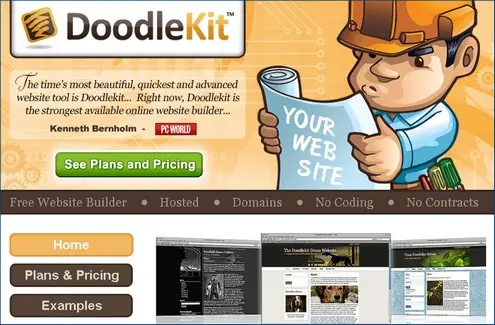
    Free Website BuilderDoodleKit is pretty impressive. Lots of templates and good editing functionality so you can put items and photos where you want. The free version is limited, but allows up to five pages, plus a blog. There is lots of space for photos and image albums, and DoodleKit offers lots of examples to get ideas of how others have used it. After the free level, plans are still affordable. The forum keeps things simple and offers step-by-step instructions so when you ask a question, you can actually follow the answer.


    The advanced editing tool had to be installed in my browser, which was a slight disappointment, but not a big deal. Once I loaded that simple lite app, it was truly easy to see what I was editing.


    What I liked: Literally, in under 5 minutes, I had a website and blog going.


    3. Wix


    Wix is a free Flash website builder. Some will argue that a Flash website is not as SEO-friendly (or Google-friendly, if you prefer), but the search giant and other search engines have made great strides in reading and ranking Flash sites. The beauty of Flash is it allows true drag and drop functionality. Sign-up is just your e-mail, a password and a username. You then move to Create, Explore or My Account as the three choices of what to do next. I hit Explore and was amazed at all the site types and creative options, most of them for free.


    If you don’t like the idea of a content-heavy site with mostly words, and are a visual type or your business lends itself to a more visual format (photographers, videographers, architects, designers), Wix is worth a serious look.


    What I Liked: Wix is a fun, energetic site that makes you want to start and finish a website in one sitting. Almost 5 million people have built a site at Wix. You can get affordable help with the Wix designers.


    4. Moonfruit


    Moonfruit is a Flash-based website builder. Right away, they amazed me with this one super customer-friendly step: They let me start building the site without even registering or providing any info. I could click through and pick options; when my site was almost done, they asked me to share my e-mail, a username and password, and hit publish.


    What I Liked: By far, Moonfruit is one of the most elegant and professional solutions I’ve seen to get a company website up and running. The free option was advertising-free. No tiny little links or text ads, and beyond the free option there are very affordable plans.


    5. Weebly


    Weebly lets you create a free website and blog. It is Flash-based, which means another easy drag and drop interface. You don’t have to be a techie at all. Weebly offers dozens of professional designs and templates. You can drag slideshows or photos onto the templates where you want them. They are one of the only tools I saw that allows and encourages a blog within the site structure. Also, Weebly has simple SEO options so you can put keywords and descriptions into your code and get recognized by the search engines.


    What I Liked: If you already own your own domain name, Weebly will let you use it for free. So if you just re-registered a domain name you’ve been parking on, you can turn it on and Weebly won’t charge you to do it. Cool.


    6. Webstarts


    Once you pick a template with Webstarts, they take you to a page that lists the pages within your site and icons to edit, preview or delete. Plus, right on that admin dashboard, you can adjust the order of the pages and decide which pages should be on the navigation menu. Webstarts is very intuitive and fast loading.


    What I Liked: As you start into editing mode, a little window drops down with a tutorial video. You can close it out, but it is nice to have a help item available. I actually enjoyed working in the Webstarts editing tool.


    7. WordPress


    Yes, it is a blog platform and not officially a “website builder.” However, many companies use WordPress as a website platform, and it ranks very highly for small business. (SmallBizTrends.com is built on WordPress.) My SalesRescueTeam.com site is built on WordPress with the robust Thesis theme (not free). Here’s the sweet part: If you’re on a tight budget and want to keep it super-simple, you can build a site for free.


    What I Liked: For only $15 per year, you can get a custom domain name you own and have WordPress point to it. That’s as close to free as any of the free website builders with your own domain. Most services that are free have a subdomain structure, as does the free WordPress option, with URLs that look like www.yoursite.wordpress.com. Over time, that’s limiting for most businesses. Because the premium features on WordPress are not always easy to find, here they are.


    * * * * *


    If you are in the alleged 50 percent of small companies that do not have a website, or know someone who is starting a business and really needs an inexpensive option to building their first site, these seven services will help you do it. Each is worth a look. As always, feel free to share the ones you like and link to them in the comments.


    From Small Business Trends

    7 Powerful and Free Website Builders for Small Businesses


    "

    Minha lista de blogs